Managing Customer Data Correctly — The Complete Guide
Posted on June 5, 2026
← Back to Hub: Back-Office Knowledge for Solopreneurs Other cluster guides: Reducing Administrative Work · Back Office, Not ERP
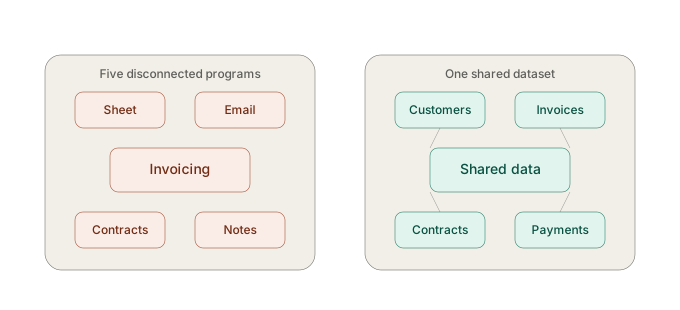 Customer data is managed correctly when there's exactly one authoritative source for each customer, which quotes, invoices, contracts, and payments automatically draw from — instead of several parallel copies scattered across spreadsheets, Word templates, and separate tools. This principle is called a "single source of truth." This guide covers the key building blocks; the detail articles go further.
Why customer data becomes a problem so often
Customer data is the information needed in practically every admin step — in the quote, the invoice, the contract, the payment matching. That's exactly why it multiplies fastest when there's no central system: every tool ends up with "its own" copy of the customer list.
The key building blocks, at a glance
- Enter customer data once and reuse it everywhere automatically. → How Do You Enter Customer Data Only Once and Use It Everywhere?
- Retire spreadsheets as your customer database once multiple versions start circulating. → How Do You Organize Customer Management Without Spreadsheet Chaos?
- Understand "one dataset instead of five programs" as a core principle. → Why Is One Dataset Instead of Five Programs the Simplest Way to Less Admin Work?
- Recognize when you're using too many programs at once ("tool sprawl"). → Why Do Small Businesses End Up Using Too Many Programs at Once?
- Avoid constant context switching caused by scattered customer data. → Why Do You Keep Switching Between Programs — and How Do You Stop?
Real-world example
A trainer with recurring corporate clients, a trade business with over 15 spreadsheet tabs, and a small consulting firm juggling five parallel programs — all three shared the same underlying problem: multiple conflicting "truths" about the same customer. In every case, a central partner module fixed the problem at the root, not just on the surface.
What you can do right now
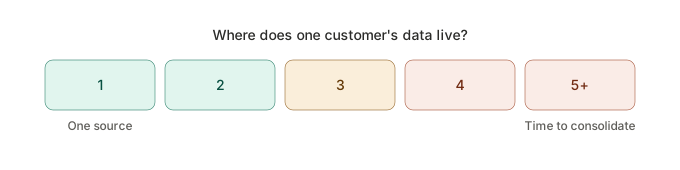
Pick your five most important customers and count how many different places (spreadsheet, email, invoicing tool, contract folder) their data currently lives in. Every extra place is a sign of how much action is needed.
FAQ
What's the best way to manage customer data in a small business? A central customer module directly linked to invoices, contracts, and payments, instead of a growing number of spreadsheets or separate programs.
What does "single source of truth" mean for customer data? It means there's exactly one authoritative, up-to-date source for each piece of customer information, instead of several different copies across programs.
All articles in this cluster: Entering customer data once · Too many programs at once · Customer management without spreadsheet chaos · Avoiding context switching · One dataset instead of five programs
Archives
- August 2026 (1)
- July 2026 (5)
- June 2026 (4)
- May 2026 (5)
- April 2026 (4)