Back Office for Small Businesses, Explained
Posted on July 17, 2026
← Back to Hub: Back-Office Knowledge for Solopreneurs Other cluster guides: Reducing Administrative Work · Managing Customer Data Correctly
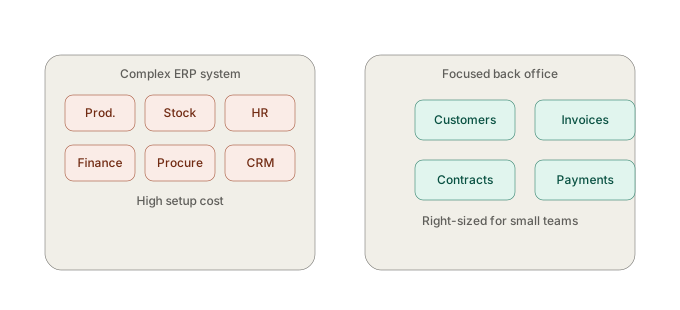 A back-office tool covers the everyday admin tasks of small businesses — customers, invoices, contracts, payments — without the complexity of an ERP system. For the vast majority of freelancers and small businesses, that's the right category: not an undersized ERP, and not an overwhelmed pile of spreadsheets. This guide places the category; the detail articles go further.
Where back-office software sits between spreadsheets and ERP
On one side sits the spreadsheet-plus-Word setup, which quickly hits its limits. On the other sits the ERP system, built for complex, company-wide processes and almost always oversized for a team of one to a few people. Back-office software like SmoovOps occupies exactly the middle ground: central, connected, but without unnecessary complexity.
The key questions, at a glance
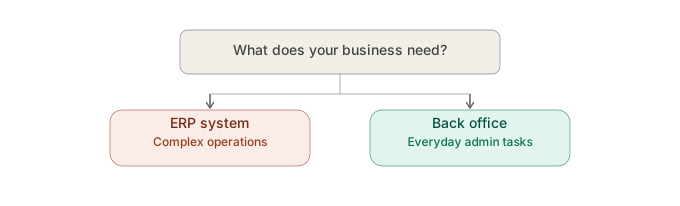
- ERP or back office — what do you actually need? → Does Your Business Really Need an ERP — or Is a Good Back Office Enough?
- What does central office organization look like in practice? → How Do You Finally Organize Your Office Work Centrally?
- How do you know your admin has become too complicated? → How Do You Know Your Admin Has Become Too Complicated?
Real-world example
A consulting firm with four employees evaluated an ERP system but decided against it: 90% of the functionality they actually needed — invoices, customers, contracts — was also covered by a lean back-office tool, with far less setup effort. That's the typical outcome for businesses of this size.
What you can do right now
List the features you actually use daily in an admin tool, and compare them honestly with what an ERP system would offer. In most cases, it quickly becomes clear that a back-office tool covers exactly the relevant points.
FAQ
What's the difference between back-office software and an ERP system? Back-office software focuses on the everyday admin tasks of small businesses (customers, invoices, contracts, payments), while ERP systems are built for complex, company-wide processes like production and inventory management.
At what company size does an ERP system become worthwhile? For freelancers and small teams up to about 20 people, an ERP system is usually oversized; a focused back-office tool typically covers the actual need in full.
All articles in this cluster: ERP or back office? · Organizing office work centrally · Warning signs your admin is too complicated
Archives
- August 2026 (1)
- July 2026 (5)
- June 2026 (4)
- May 2026 (5)
- April 2026 (4)