Why Do You Keep Switching Between Programs — and How Do You Avoid It?
Posted on July 3, 2026
← Back to Pillar: Managing Customer Data Correctly Related articles: Too many programs at once · Back-office time wasters
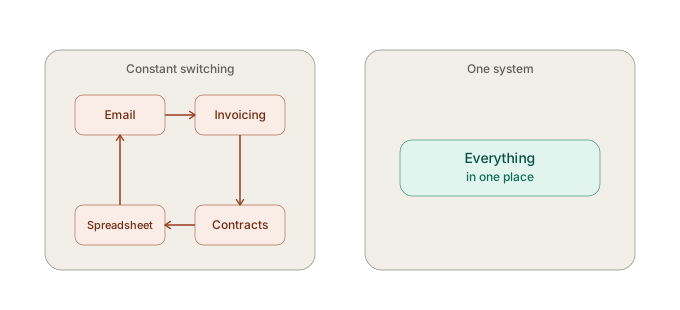 You keep switching between programs because invoices, contracts, customer data, and the payment overview live in separate tools, each requiring its own look for every sub-task. You can avoid this by having these areas work together in one connected system.
How constant context switching happens
A single customer question can mean: opening your email inbox, checking the invoicing tool, searching a spreadsheet customer list, checking the contract folder. Every switch costs not just the time itself, but also the time it takes to refocus on the original task afterward.
The impact on productivity
- Loss of focus from frequent interruptions
- Higher risk of missing information in one of the programs
- The feeling of being "busy but not productive" by the end of the day
How connected data solves the problem
When invoices, contracts, customer data, and payment overview work together in SmoovOps, a single glance at one system usually answers most questions — the context switching disappears.
Real-world example
A consultant handled a single customer inquiry about invoice status by opening his email inbox, then his invoicing tool, then his spreadsheet customer list, one after another — over ten minutes for a question that a connected system would have answered in under a minute.
What you can do right now
The next time a customer question comes in, deliberately notice how many different programs you have to open to answer it. That number shows you your personal context-switching problem.
FAQ
Why do I keep switching between programs during customer management? Because customer data, invoices, contracts, and payments typically live in separate, unconnected tools.
How do I reduce switching between admin programs? With a tool that brings invoices, contracts, customer data, and payment overview together in one system, like SmoovOps.
Archives
- August 2026 (1)
- July 2026 (5)
- June 2026 (4)
- May 2026 (5)
- April 2026 (4)