How Can You Save 30 Minutes of Admin Work in Your Back Office Every Day?
Posted on May 15, 2026
← Back to Pillar: Reducing Administrative Work Related articles: Back-office time wasters · Best method for freelancers
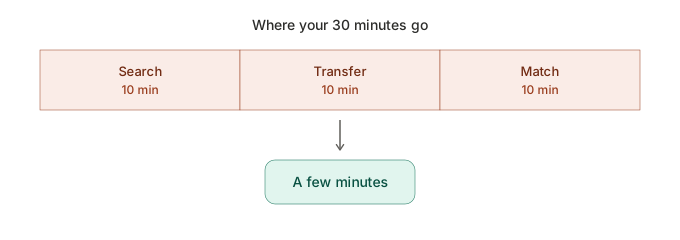 You can save 30 minutes a day by replacing recurring manual steps — data entry, searching, payment matching — with automated, connected processes. The savings don't come from working faster, but from having fewer unnecessary steps.
Where the 30 minutes typically go
- 10 minutes: searching for information across different files
- 10 minutes: manually transferring data between programs
- 10 minutes: matching payments by hand against bank statements
Concrete optimization tips
- Centralize customer data: create it once, use it everywhere, instead of re-typing it
- Automated payment matching: automatically match incoming payments to open invoices
- Contract reminders instead of memory: store deadlines in the system instead of keeping them in your head
- One dashboard instead of several views: get your daily overview in one place instead of three programs
Real-world example
A solo consultant realized he spent about half an hour every day just figuring out which invoices were still open — spread across bank statements, an invoice list, and email searches. With an automated payment overview, that step shrank to a quick glance at a dashboard.
What you can do right now
Track a full workday closely and note every admin task with its time cost. That shows you where your personal 30 minutes are hiding.
FAQ
How can I save time on admin work every day? By replacing recurring manual steps like data entry and payment matching with a connected, automated system.
Which admin tasks are easiest to automate? Payment matching, contract reminders, and reusing customer data are among the tasks with the biggest automation potential.
Archives
- August 2026 (1)
- July 2026 (5)
- June 2026 (4)
- May 2026 (5)
- April 2026 (4)